
LARGE SWAN / PRODUCTS & SOLUTIONS
POS system
OmniStore POS.
New Zealand & Australia.
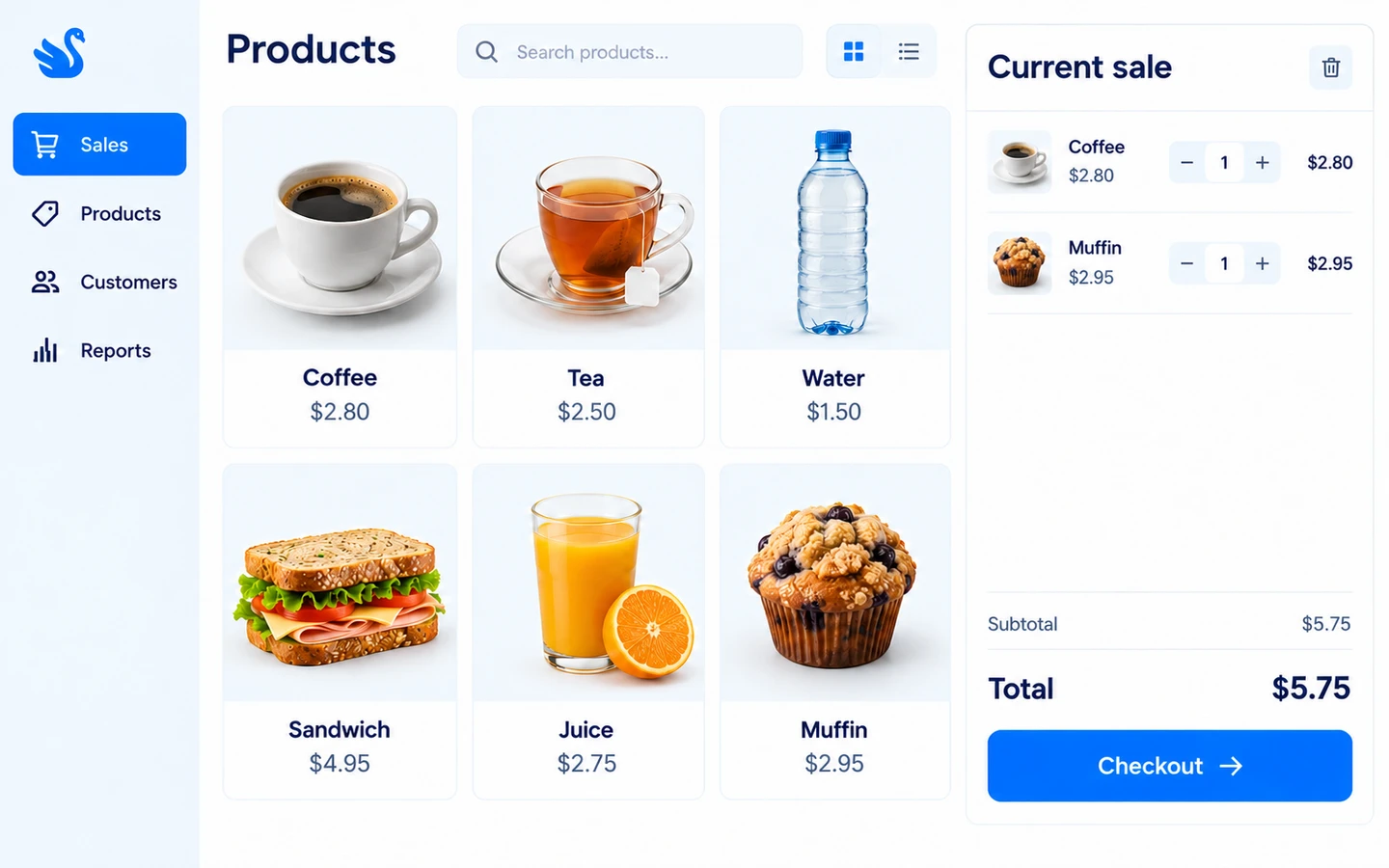
OmniStore POS is designed specifically for New Zealand and Australia, with industry-specific designs for retail, export sales and restaurants. It brings together product selection, cash and EFTPOS checkout, mixed payments, held sales and receipts, with member points and wallet balance where enabled.
BUILT AROUND YOUR WORK
One product. Your everyday work.
Checkout
Take payment and keep the sale moving.
Build the sale from the product catalogue, take cash or EFTPOS, and use mixed payments when a customer pays through more than one method. Hold a sale and resume it, then find completed sales in the history panel.
- Cash, EFTPOS and mixed payments
- Hold and resume sales
- Sales history and returns
Products
Put the catalogue within reach of the cashier.
Use product selection and configurable quick buttons at the till. The POS receives catalogue updates through its local Agent, keeping the cashier workflow connected to the central product setup.
- Product picker and quick buttons
- Catalogue synchronisation
- Configured prices and discounts
Members
Bring member benefits into checkout.
Select a member during a sale, apply available points and use wallet balance where enabled. The payment panel shows the discount and payable total so the cashier can explain the transaction before taking payment.
- Member selection
- Points redemption
- Wallet balance payments
Devices & orders
Connect the till to your store operations.
The local POS Agent handles receipts, payment-terminal communication and order synchronisation. Printer and EFTPOS setup is checked against the actual devices; connections to a separate ERP are scoped individually.
- Receipt printing
- EFTPOS terminal configuration
- Central order synchronisation
A CONNECTED BUSINESS
Make it part of the bigger picture.
From in-store operations and online sales to enterprise management, agree the connections and delivery scope around your business.
DEMONSTRATIONS & PROJECTS
Start with your business.
Tell us about your business and we can discuss a relevant product demonstration and project experience.
Can I arrange a demonstration?
Yes. Tell us which product and business workflows you are interested in so we can discuss demonstration arrangements.
Can it connect to my existing systems?
We provide integration services. The exact connections depend on your systems, interfaces and requirements.
How are scope and costs agreed?
Before work begins, we agree the product scope, integration requirements, delivery approach and costs.
Which industries is OmniStore POS designed for?
OmniStore POS has industry-specific designs for retail, export sales and restaurants in New Zealand and Australia. Tell us your industry and everyday selling process so the demonstration can focus on the relevant workflow.
Which payment methods does the POS support?
The checkout supports cash, EFTPOS and mixed payments, with member wallet payments where configured. EFTPOS integration depends on the supported terminal, merchant service and local Agent setup.
Can staff pause a sale or process a return?
Staff can hold and resume sales, review receipt history and start a return. Returns require an internet connection, and permissions and payment status determine the actions available.
What should we bring to a POS demonstration?
Tell us which industry you operate in, and bring representative products, checkout and member scenarios, plus printer and terminal models. We can demonstrate the relevant selling workflow and identify any catalogue preparation or device setup needed.
LARGE SWAN TECHNOLOGY